Siemens’ Tips for Panel Builders Series – Part 4: Control Panel Modeling in 3D


The manufacturing of control panels and system cabinets in particular incurs high expense and wastage when it comes to the wiring and mechanical processing of the cabinets. 3D planning offers a solution in terms of optimizing the work steps and avoiding the unnecessary waste of excess cable. For this purpose, the EPLAN range of products includes the Pro Panel software, which facilitates the 3D planning of control cabinets.
What does it offer you?
Apart from the purely 3D data, other helpful technical information is stored directly in the article macros of the Siemens devices. For example, you will find information in Pro Panel about the connections of the article to support the auto-routing function. In addition to the description and design of the connections, the global wiring diagram also stores their position in three-dimensional space as well as their routing direction. With the help of these specifications, the necessary cable lengths can be calculated to the exact millimeter directly in EPLAN on the basis of the wiring diagram project.
In addition, these values can be exported to a cable assembly machine in order to guarantee standard-compliant wiring to the exact cable length. You can show the cable-laying direction and connection designation directly in 3D by selecting View → Connection Directions or Connection Designations.
Apart from the wiring diagram, you will also find a drilling template in the Siemens article macros. These contain valuable information about the number, position and size of necessary penetrations on the mounting plate or door cutouts. This information can also be exported from EPLAN to a machine / robot, enabling all necessary penetrations to be transferred automatically to the mounting plate. You can make this visible in EPLAN by selecting View → Drill-hole view.
Then use our CAx Download Manager. This enables you to request our CAx data automatically, such as certificates, documentation, product master data and much more, for a number of articles at the same time. When your download is ready, you are notified by email containing a link to your individual download. Select the type of information “Product master data” if, for example, you require cable cross -sections or other technical specifications.
All necessary power loss data for control panel devices can be found in the Siemens Industry Online Support Portal.
On many accessory parts and basic units, mounting points are stored in the macros. These support you when assembling two components in 3D. In this way, the risk of errors can be minimized and precise placement is made possible.

Fibox Enclosures has recently announced the addition of Curtis Stout as its new manufacturer’s representative for Arkansas, Mississippi, and Western Tennessee. Effective April 10th, 2023. Curtis Stout Inc. began with its founder, Curtis H. Stout. In 1947, he started a commercial/industrial and utility business that serviced the Arkansas market. Quickly, it grew to include all the mid-south territory, with the essential company principles still present today: to provide you with quality products and service. The company is celebrating over 70 years in the electrical industry as a manufacturers’ representative and value-added provider of electrical and electronic solutions.

B&R has added Fredrik Holmberg to its business development team as an expert in the field of medical device assembly. Holmberg will spearhead the automation specialist’s efforts in this rapidly growing industry with a strong focus on automation solutions for small-batch production. Many of the products used for medical treatments consist of numerous individual parts. Before a catheter or infusion set can be used, for example, they must first be assembled from an array of tubes, valves and needles.

Emerson has been named the “Industrial IoT Company of the Year” by IoT Breakthrough for an unprecedented third consecutive year. The honor recognizes Emerson’s commitment to helping customers in industries such as chemical, life sciences, power, and oil and gas define and execute a practical and successful path to digital transformation.
New facility adds capacity for more than 800,000 SKUs and features cutting-edge warehouse technology from intelligent automation solutions leader KNAPP.
Anyone who has been following the latest expert discussions on energy efficiency in machines and plants will have noticed that certain topics come up time and time again. The main examples are “variable frequency drives for optimum drive solutions” and “increasing efficiency in lowvoltage induction motors (EISA and NEMA Premium).” Yet low-voltage controls rarely enter into the debate. And that, as this article intends to show, does them an injustice.

RS offers Schneider Electric’s Lexium product portfolio, which combines innovative, tested and proven mechanical, electrical, and PLC logic devices — including cobots — with powerful, intuitive software to provide end-to-end integrated smart manufacturing solutions ideal for use in automotive, electronics, consumer packaged goods, metal, machinery, life science, logistics, and warehouse applications.

This webinar presented by Beth Lessard and Keith Cordero will be highlighting three Panduit solutions that will optimize network equipment and cabling to ensure that your spaces are efficiently and properly managed to support ever-evolving business needs of today and beyond. Products that will be featured include PanZone TrueEdge Wall Mount Enclsoure, Cable Managers, and Adjustable Depth 4-Post Rack.
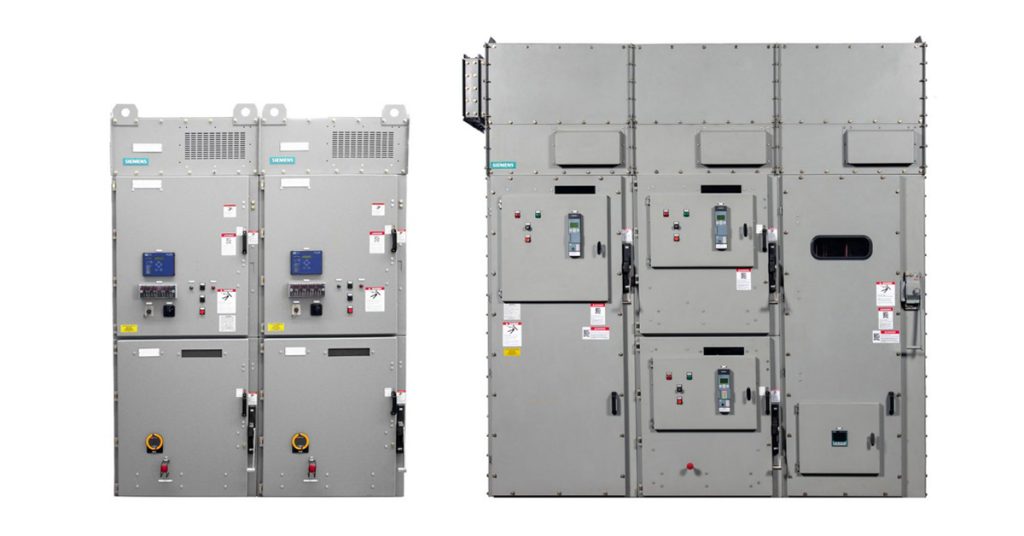
The Siemens SIMOVAC medium-voltage non-arc-resistant and SIMOVAC-AR arc-resistant controllers have a modular design incorporating up to two 12SVC400 (400 A) controllers, housed in a freestanding sheet steel enclosure. Each controller is UL 347 class E2, equipped with three current-limiting fuses, a non-load-break isolating switch, and a fixed-mounted vacuum contactor (plug-in type optional for 12SVC400). The enclosure is designed for front access, allowing the equipment to be located with the rear of the equipment close to a non-combustible wall.

Power is vital to production, and well-designed control cabinets are key. Allied Electronics & Automation offers a comprehensive collection of control cabinet solutions including PLCs, HMIs, contactors, miniature circuit breakers, terminal block connectors, DIN-rail power supplies, pushbutton switches, motor starters, overloads, power relays, industrial Ethernet switches and AC drives engineered to keep your operations running safely, reliably and efficiently.
Learn more HERE.
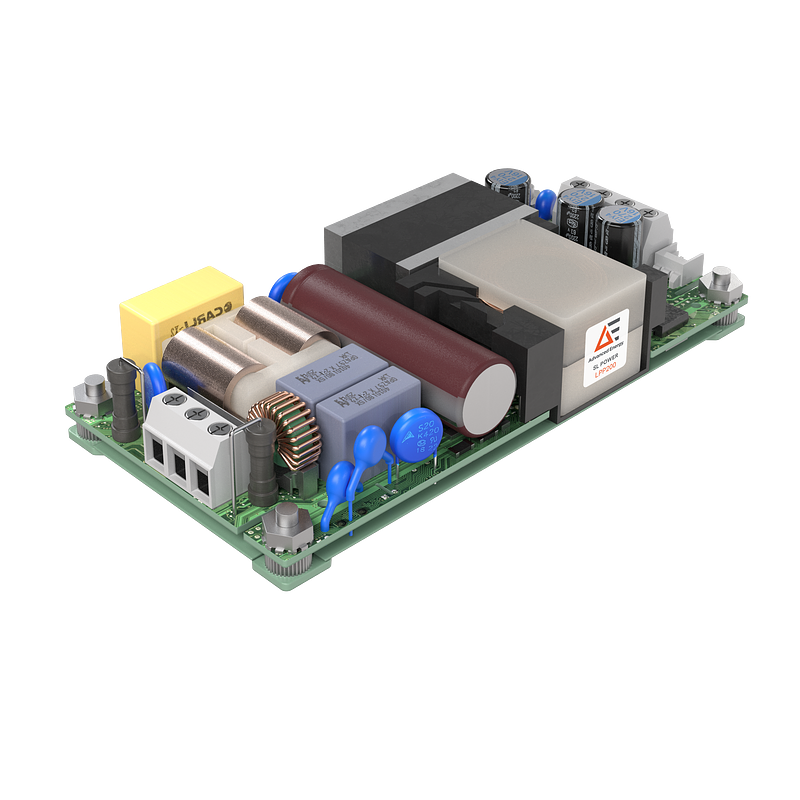
The power supplies feature a profile of just 0.75 inches (19 mm), developed to enable greater levels of miniaturization in medical and industrial devices, such as patient monitors, displays and infusion pumps. Read More…
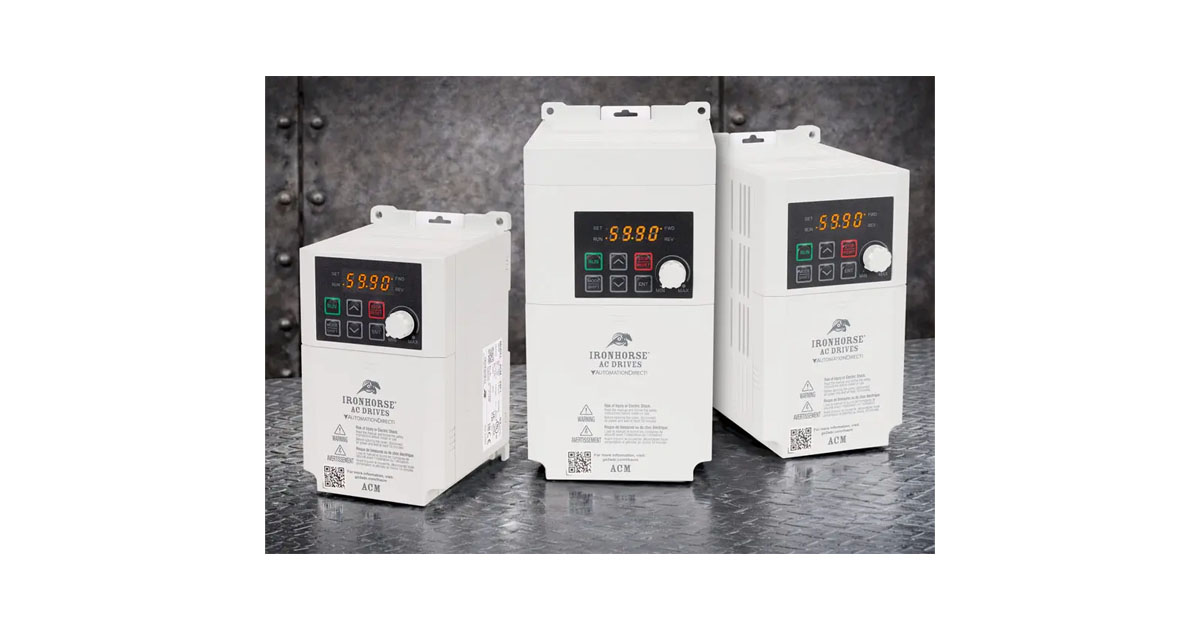
IronHorse ACM series AC drives provide basic V/Hz and sensorless vector control for low-horsepower motors when only single-phase power is available. These VFDs accept a 120 VAC or 230 VAC single-phase power source and control motors from 1/8 to 3 horsepower. 5 digital inputs, 2 relay outputs, 2 analog inputs, and 1 analog output are standard,… Read More…